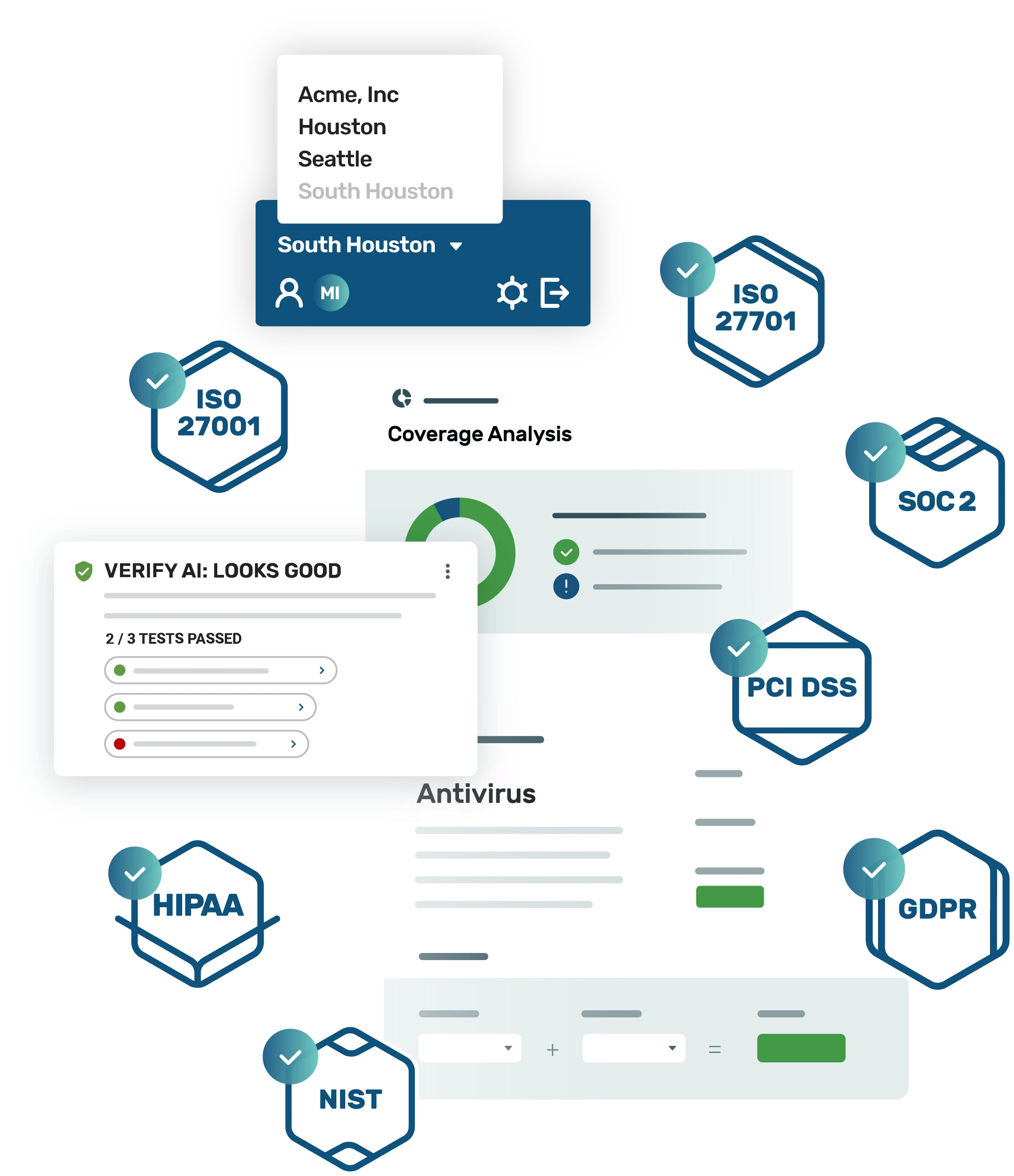
All the security features you need built into one AI-native compliance management solution.
Strike Graph helps teams unify security, risk, and compliance in one place. From evidence collection to enterprise architecture, every feature is built to make compliance faster, smarter, and easier to manage.
Top features
Strike Graph helps you build a flexible, efficient security program that aligns with your risk profile and compliance goals—without unnecessary complexity.
AI-native compliance
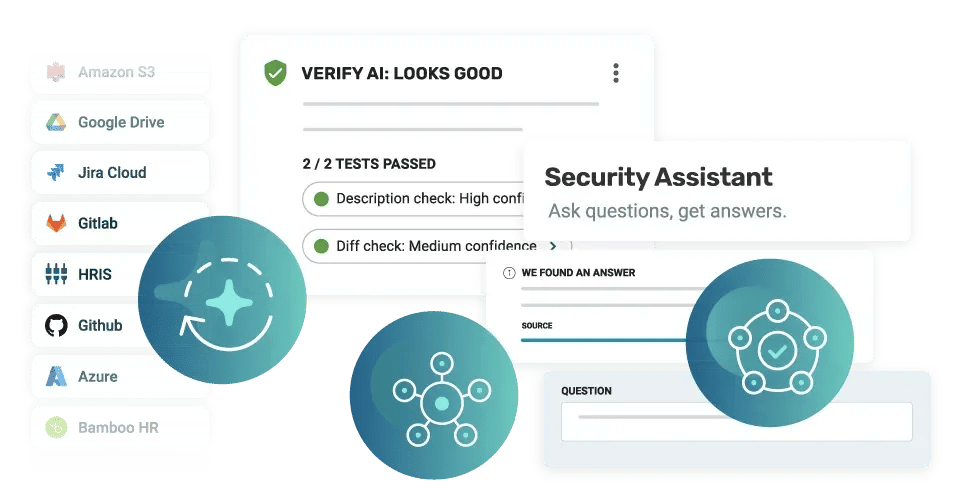
Strike Graph’s unique AI-native architecture combines a graph-like data model with secure, zero-trust platform development to connect systems, controls, frameworks, and evidence. This AI-native architecture enables contextual reasoning, intelligent automation, and multi-framework management in one place. A zero-trust AI stack keeps data encrypted and segmented and is never used to train third-party models, powering capabilities like Verify AI and AI Security Assistant to audit evidence, flag risks, and recommend next steps securely.
Multi-framework support
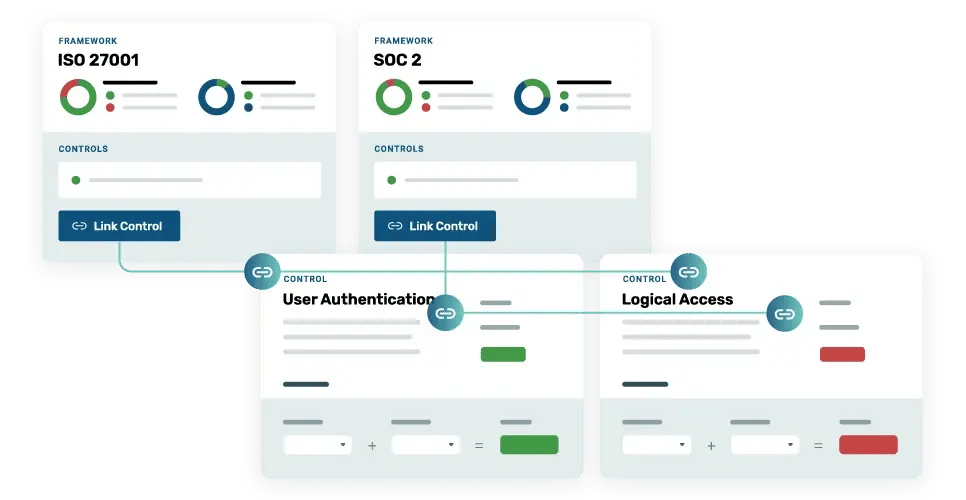
Strike Graph’s many-to-many architecture automatically maps your Controls, Risks, and Evidence across frameworks to eliminate duplicate work and boost efficiency. Pre-loaded framework content gives you a head start, and intelligent cross-mapping shows exactly what percentage of your Controls are already satisfied when you add a new framework. As you adopt new standards—like SOC 2, ISO 27001, or HIPAA—Strike Graph highlights overlaps and gaps, helping teams across products, locations, and business units manage everything in one unified system.
Real-time, continuous AI evidence validation
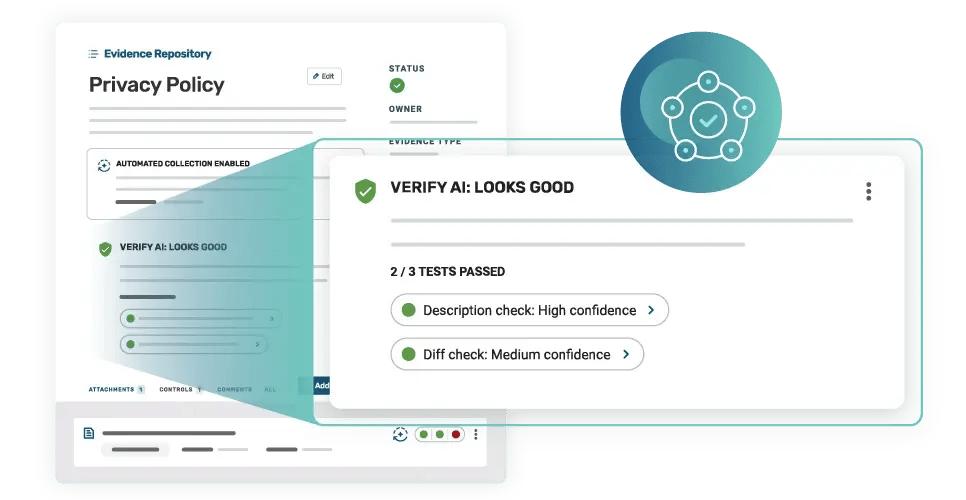
Strike Graph’s Verify AI acts as your always-on internal auditor, adapting to your unique compliance program rather than forcing a one-size-fits-all approach. It provides real-time validation and continuous monitoring of your evidence and controls, giving instant feedback on accuracy, completeness, and potential gaps. By smoke-testing your compliance posture between audits, Verify AI ensures you arrive audit-ready with pre-vetted evidence and the confidence that your controls are performing as designed.
Management across teams and workspaces
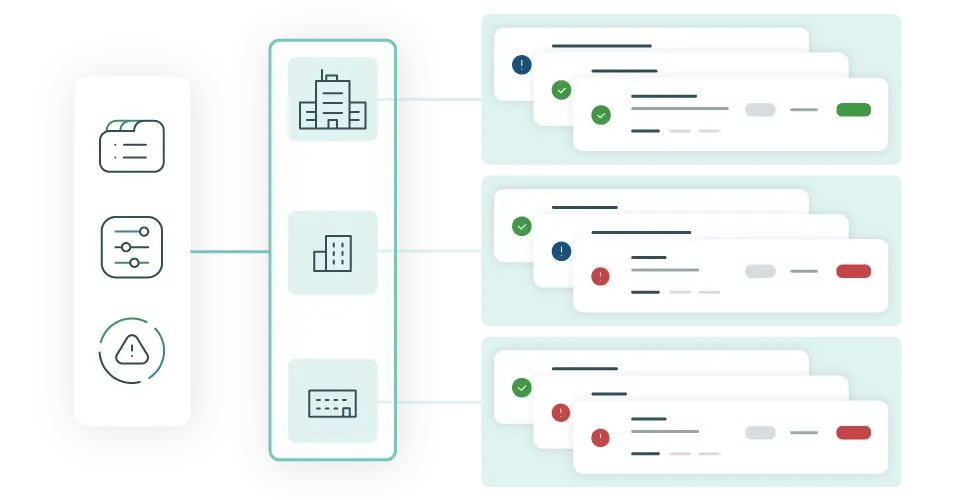
Strike Graph’s Enterprise Workspace Management provides a federated approach to managing compliance across multiple teams, products, and subsidiaries—all from a single, unified platform. Also known as multi-tenant or multi-workspace functionality, it allows organizations to publish and sync risks, controls, and evidence across workspaces while sharing users for seamless collaboration and oversight. Available on Enterprise plans.
Design a security program with flexible features that truly meet your needs
AI-native architecture built with zero-trust, graph-based compliance data model
Strike Graph’s unique AI-native architecture combines a graph-like data model with secure, zero-trust platform development to connect systems, controls, frameworks, and evidence. This AI-native architecture enables contextual reasoning, intelligent automation, and multi-framework management in one place. A zero-trust AI stack keeps data encrypted and segmented and is never used to train third-party models, powering capabilities like Verify AI and AI Security Assistant to audit evidence, flag risks, and recommend next steps securely.
Manage all your compliance controls in one connected system
Controls define, assign, and track the safeguards your organization uses to mitigate risk and meet compliance requirements. Strike Graph pre-populates required Controls for common frameworks, giving teams ready-to-use templates they can customize. Each Control can be mapped to multiple Risks, Framework Criteria, and Evidence items, creating a connected, flexible compliance structure.
Manage and score compliance risks with built-in NIST methodologies
Risks allow you to identify, assess, and monitor potential threats to your organization. Strike Graph includes 30+ pre-loaded Risks mapped to recommended mitigation Controls, helping teams get started quickly. Users can customize and score Risks using advanced NIST methodologies, add new ones, and track mitigation progress over time. Risks are automatically flagged when exposures are detected—such as a failing Control or invalid Evidence—so teams can respond before issues escalate.
Unified evidence management across controls and frameworks
Strike Graph’s Evidence repository helps you document and maintain proof that controls are implemented and operating effectively. It includes pre-loaded templates, ownership tracking, effective and expiration dates, automated evidence collection through integrations, and many-to-many links between controls and framework criteria. Capture unlimited custom evidence items—from policy documents to code snippets—and reuse them across frameworks for complete, auditable proof of compliance.
Manage any compliance framework
Strike Graph offers more than 30 compliance frameworks to support your evolving security and regulatory needs—from data privacy and medical devices to government contracts. As your business grows, Strike Graph’s all-in-one platform makes it easy to add new frameworks, controls, and evidence without starting from scratch. By leveraging overlaps between standards like GDPR and ISO 27701, Strike Graph helps you save time, resources, and effort while scaling compliance efficiently.
Eliminate duplicate work with multi-framework mapping
Strike Graph’s many-to-many architecture automatically maps your Controls, Risks, and Evidence across frameworks to eliminate duplicate work and boost efficiency. Pre-loaded framework content gives you a head start, and intelligent cross-mapping shows exactly what percentage of your Controls are already satisfied when you add a new framework. As you adopt new standards—like SOC 2, ISO 27001, or HIPAA—Strike Graph highlights overlaps and gaps, helping teams across products, locations, and business units manage everything in one unified system.
Track compliance against any standard, including custom frameworks
Custom Frameworks allow organizations to define and track compliance with their own unique standards or internal requirements. In addition to 30+ supported industry frameworks, Strike Graph can add custom frameworks upon request—fully cross-mapped to existing frameworks—so teams can monitor compliance across all standards in one place.
Design a compliance program as unique as your organization
Strike Graph offers extensive customization across your compliance program. Teams can create or modify pre-mapped Controls, define organization-specific Risks with automated or custom vendor risk scoring, and manage them in a centralized risk register. These customizations extend across all supported and Custom Frameworks, keeping your program tailored and audit-ready.
Assess organizational risks and vulnerabilities
Strike Graph’s Risk Assessment feature helps organizations identify and evaluate potential risks and vulnerabilities that could impact compliance with laws, regulations, and internal policies. This process provides a foundation for prioritizing mitigation efforts and strengthening overall security posture.
Streamline compliance with pre-built policy templates
Strike Graph’s policy template library includes more than 20 ready-to-use templates to help you launch your IT compliance program quickly. Use them to build essential policies from scratch or enhance your existing documentation with best-practice language tailored for compliance success.
Document your scope and controls with system description templates
Strike Graph’s templates include a System Description to help you capture the scope, architecture, and control environment narrative required for any audit. This ensures your documentation is complete, consistent, and ready for auditor review.
Collaborate with any auditor through multi-domain support
Multi-domain functionality enables teams to invite users from different email domains into their Strike Graph organization. Ideal for subsidiaries or brand domains (e.g., abc.com and xyz.com), so teams can collaborate within a single account while keeping access centralized.
Save time with bulk edits for risks, controls, and evidence
Make bulk changes to your risk, control, or evidence data. This is particularly useful for power users who are configuring/managing their compliance programs and want to assign ownership or various statuses to a group of respective risks, controls, and evidence. Additionally, this is useful for MSP partners as they configure and manage compliance programs for their end customer.
Simplify secure access with Single Sign-On (SSO)
Strike Graph’s Single Sign-On (SSO) enables centralized authentication through your organization’s identity provider for secure, streamlined access. Enterprise SSO helps standardize login, reduce password-related risks, and simplify onboarding and offboarding. Once authenticated, user access is managed through Strike Graph’s roles and permissions for complete control.
Automation and efficiency driven by integrations and secure AI
Continuous, automated evidence collection
Strike Graph's automated evidence collection automatically gathers and refreshes evidence from supported integration endpoints, ensuring items stay current before audits. Once configured, customers can enable automated collection per evidence item—Strike Graph will pull updated attachments on schedule before expiration. This “set-and-forget” functionality eliminates hours of manual work and keeps compliance documentation always up to date.
Automate evidence collection with powerful integrations
Strike Graph integrations make evidence collection faster and easier. Connect with systems and applications, including Microsoft 365, Google Drive, AWS, Jira, and more, to automate compliance data collection and keep your evidence always up to date.
Easily configure and write code for integrations with AI
With your approval, the AI Security Assistant helps write and configure secure code for your Strike Graph integrations. It interprets API documentation, evidence requirements, and control mappings to generate validated Terraform code and API calls—automating evidence collection without risking changes to your infrastructure. Simply open an evidence item, launch the assistant, and describe the data you need (for example, “encryption configuration from RDS”). The assistant creates the code for you to review and approve before deployment, making integration setup faster, safer, and smarter.
Continuously validate evidence with AI
Strike Graph’s Verify AI acts as your always-on internal auditor, adapting to your unique compliance program rather than forcing a one-size-fits-all approach. It provides real-time validation and continuous monitoring of your evidence and controls, giving instant feedback on accuracy, completeness, and potential gaps. By smoke-testing your compliance posture between audits, Verify AI ensures you arrive audit-ready with pre-vetted evidence and the confidence that your controls are performing as designed.
Smarter automation powered by your organization’s data
Strike Graph’s AI Knowledge Base automatically learns from your organization’s evidence, systems, and vendors to build contextual understanding. This foundation powers more accurate, relevant responses from Verify AI and Security Assistant—so your compliance AI adapts to how your business actually operates.
Automatically verify that evidence matches its description
Verify AI’s description check automatically compares each evidence item to its description, flagging discrepancies such as missing timestamps, policy dates, or incomplete details. This ensures every piece of evidence aligns with its intended purpose and remains accurate, consistent, and audit-ready.
Automatically detect evidence changes
Verify AI’s difference check automatically compares new evidence items to previous versions, identifying potential issues like missing timestamps, policy dates, or inconsistencies. By flagging changes in real time, it helps your team maintain accurate, audit-ready documentation without manual review.
Auto-fill security questionnaires and vendor assessments
Use Strike Graph’s AI Security Assistant for questionnaires to automatically respond to client and partner cybersecurity questionnaires based on your active controls and evidence. By analyzing your existing documentation, Security Assistant generates compliance-ready responses and streamlines security reviews—reducing response time from days to minutes.
Get strategic advice from your organization's personalized AI compliance consultant
Strike Graph's AI Security Assistant provides instant and ongoing Evidence Coverage Analysis. This includes interpreting new regulatory and third-party risk requirements, identifying compliance gaps, and recommending automations or controls to address them. It helps teams translate complex regulations into actionable steps, guiding strategic compliance decisions and keeping programs continuously aligned with evolving standards.
Leverage AI to automatically generate responses to any vendor questionnaire
Think of AI Security Assistant as your personalized compliance consultant. The AI Security Assistant delivers instant, contextual answers sourced from your organization’s policies, procedures, controls, and evidence inside Strike Graph—never from public LLM APIs. Strike Graph AI Security Assistant can ingest a full vendor assessment or security questionnaire (or a single question) and generate accurate, audit-ready responses based on your program data.
Push compliance evidence automatically via API
Strike Graph’s Evidence API lets external systems push compliance evidence directly into the platform, streamlining and automating evidence management.
Items that need attention are automatically flagged
Strike Graph automatically highlights any risks, controls, criteria, and evidence that aren’t yet satisfied with a “needs attention” status. This gives teams a clear view of what’s incomplete or requires action, helping maintain progress toward full compliance.
Automated evidence expiration notifications
Strike Graph’s Evidence Status Report keeps your team informed and proactive by providing a clear view of all evidence activity. Every two weeks, evidence owners receive an email summary showing expired evidence, items nearing expiration, and evidence scheduled for auto-collection in the next 30 days. These regular updates help teams maintain continuous compliance and ensure nothing slips through the cracks.
Operate and collaborate in one platform
Federated compliance management across teams and workspaces
Strike Graph’s Enterprise Workspace Management provides a federated approach to managing compliance across multiple teams, products, and subsidiaries—all from a single, unified platform. Also known as multi-tenant or multi-workspace functionality, it allows organizations to publish and sync risks, controls, and evidence across workspaces while sharing users for seamless collaboration and oversight. Available on Enterprise plans.
Multi-team compliance management across organizations and workspaces
Strike Graph’s Teams feature lets customers establish separate compliance programs for different products, business units, or subsidiaries—each with its own users and audit scope. For example, a company managing multiple SOC 2s can create distinct organizations for each product. Integrated with Multi-Org access, Teams allows compliance managers to easily navigate across programs and maintain visibility into all compliance activities.
Centralize and manage all your trust assets in one place
The Trust Asset Library provides a centralized repository to store, organize, and manage all your trust assets—from security certifications to penetration test results and compliance reports. Access the most up-to-date versions directly in your Strike Graph account or download and share them externally to easily demonstrate your organization’s security and compliance posture.
Scale compliance collaboration with unlimited users
Strike Graph provides unlimited user licenses so your entire organization can work together in the platform without seat limits. Anyone with a company email can create an account and join your organization. Invite as many collaborators as needed across security, engineering, IT, and operations—roles and permissions ensure every user has the right level of access.
Manage access with customizable roles and permissions
Strike Graph’s role management feature gives you granular control over who can view, edit, and approve compliance work across your organization. User roles and permissions help protect sensitive information by defining clear access levels. Managers have full visibility and editing rights, while Contributors have limited, read-only access—except for items they own, such as evidence—ensuring the right people have the right level of control. SSO support and enterprise configurations provide centralized identity and access management.
Multi-org user access for enterprise teams
Strike Graph’s multi-org user functionality allows users to be granted access to multiple, specific organizations within the platform. This enables enterprise teams and consultants to manage compliance across subsidiaries or clients without switching accounts.
Easily track and update your compliance tasks or Plan of Action and Milestones
Strike Graph's Action Items (POA&Ms) turn compliance gaps into clear next steps by letting you create, assign, and resolve remediation tasks directly in your workflow. Action Items are integrated across Strike Graph, connecting controls and risk assessments; teams can open items from failed tests, missing evidence, or custom remediation tasks and tie work back to the right control. The feature supports owners and due dates for accountability, real-time status tracking with dashboards, evidence attachments, and filtering/reporting by owner or status to stay audit-ready. Designed for cross-functional collaboration, Action Items keep stakeholders aligned and make it easy to demonstrate progress during assessments. This feature is a requirement for CMMC and ISO 27001.
Tag other users in comments to better collaborate on compliance tasks
Users in the Strike Graph platform are able to @ mention other users in their organization within a Comment. The @ mentioned user will receive an email notifying them of a new comment. The purpose is to help provide timely communication and increase collaboration among users in the platform.
Manage and mitigate compliance risks
Strike Graph’s Risk Management feature helps organizations systematically identify, assess, and mitigate risks that could affect compliance with regulatory requirements and industry standards. The platform includes a standard set of common business risks to jump-start your assessment, which you can customize to reflect your organization’s unique environment and challenges.
Personalized customer support for every Strike Graph customer
Every Strike Graph customer receives personalized support, including a dedicated Customer Success Manager (CSM)—your audit advisor for onboarding and beyond. You’ll also have access to in-platform live chat during business hours and an always-available Help Center with detailed platform guides and compliance FAQs.
Real-time visibility + deep analysis and reporting
Real-time compliance dashboards and detailed reporting tools
Live dashboards and detailed reports give you real-time visibility into your compliance program. Track progress across frameworks, monitor risks and controls, and share executive-ready insights that demonstrate your organization’s compliance posture—all within Strike Graph.
Automatically generate and update your System Security Plan (SSP)
Strike Graph’s SSP builder auto-generates your System Security Plan from active controls and keeps it updated as language, progress, or ownership changes. This dynamic approach streamlines SSP creation, maintenance, and sharing—ensuring your documentation stays accurate and audit-ready.
Guided CMMC self-assessment with automatic scoring
Strike Graph’s in-app Self-Assessment feature guides you step-by-step through mandatory CMMC Level 1 or Level 2 self-assessments and automatically generates your SPRS score for submission—simplifying compliance and saving valuable time.
Export your Plan of Actions & Milestones (POA&Ms) to CSV
Strike Graph’s POA&Ms CSV Export allows you to download a detailed list of open actions and milestones identified during your compliance process. Easily share and update progress with stakeholders, helping teams document remediation steps and maintain accountability.
Federated dashboard for enterprises requiring cross-workspace compliance visibility
Strike Graph's Federated Dashboard provides leaders with a single view of compliance across teams, workspaces, and products/subsidiaries. It consolidates readiness, control status, evidence health, risks, and open action items from multiple workspaces, with filters to drill down into a specific domain, business unit, or framework.
All your compliance insights in one dashboard
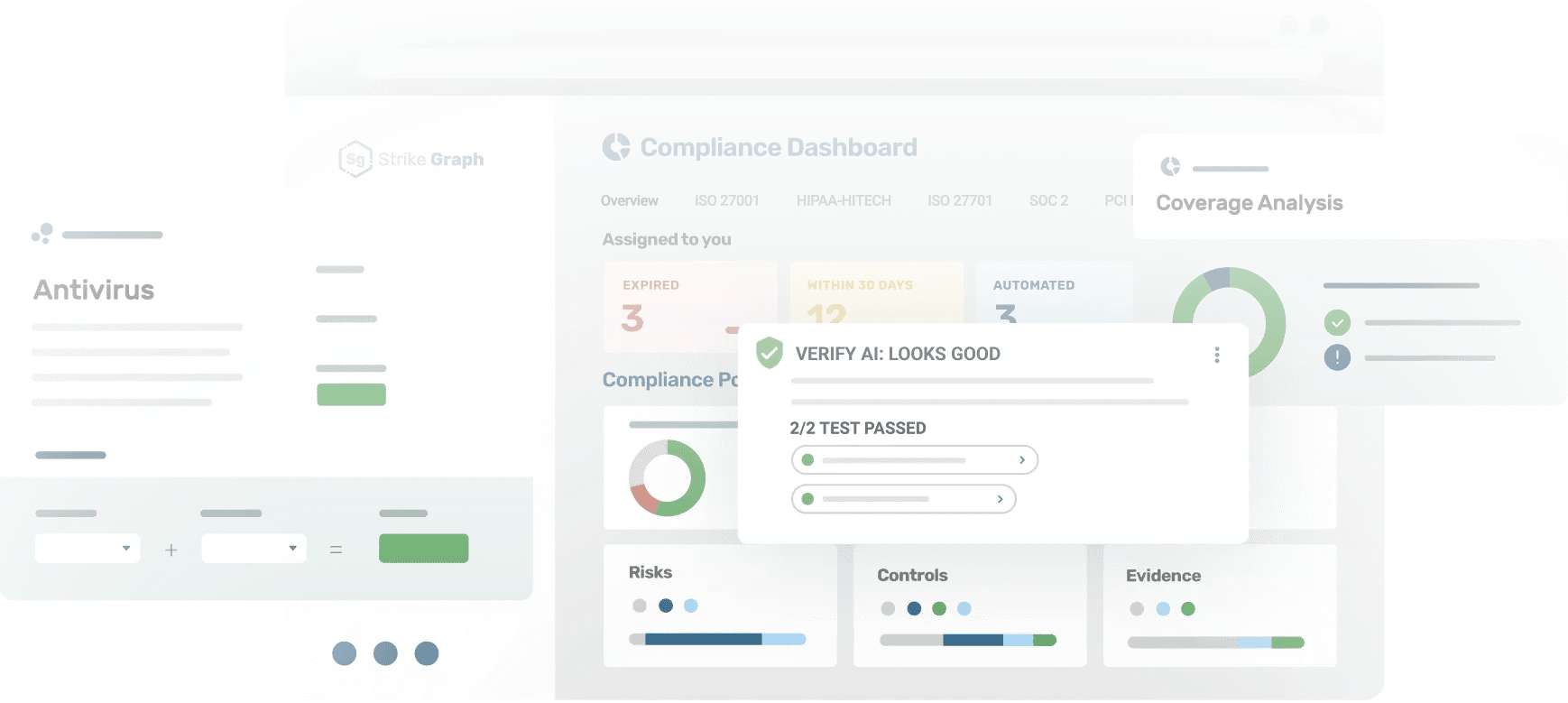
Strike Graph's Compliance Dashboard provides a snapshot of your compliance posture, analyzing your current organization's active Risks, Controls, and Evidence status, your compliance with targeted frameworks, as well as your to-dos to ensure you're staying on top of your compliance work.
Real-time visibility into your organization’s control environment
The Control Monitoring Dashboard provides compliance managers with a real-time view of their control environment, including control satisfaction, progress, and change activity throughout Strike Graph. It helps teams visualize overall compliance health, track distribution across frameworks, and monitor or verify control updates as they happen.
Support for any audits and assessments you may need
The Strike Graph team provides audits or SOC 1 and SOC 2 in-house. For any other audit or assessment, we can connect you with third-party partners who can provide the required audit or assessment, helping teams streamline this process. The platform centralizes all of your compliance data so you can easily prepare clean, audit‑ready outputs for any auditor or assessor, or invite them to collaborate with you in the platform.
Export and share your control data in just a few clicks
Strike Graph users can easily export their Control Library to a CSV file, applying filters to customize what’s included. This makes it simple to share targeted control lists with auditors or customer success managers for regular reviews and progress check-ins.
Customizable evidence export for audits and reviews
Strike Graph’s Evidence Repository CSV Export lets users download a filtered export of their complete evidence repository for easy sharing and review. Teams can customize exports to include only what they need and use them for periodic check-ins with customer success managers or auditors.
Share your security posture with a just-in-time overview report
Strike Graph’s Security Overview Report summarizes your organization’s security posture in a clear, customer-friendly format—ideal for sharing before an audit is complete. Generate a just-in-time PDF report of your risk posture and security controls to demonstrate compliance readiness and risk mitigation. Use it to communicate security practices internally or share with potential customers while working toward certification.
SBOM management for supply chain security
Strike Graph’s Software Bill of Materials (SBOM) Manager tracks software components and vulnerabilities to simplify compliance and strengthen supply-chain security. Manage all your SBOMs in one place, monitor for new threats, and maintain an up-to-date inventory of components and dependencies to keep audits current.
Gap analysis and readiness tracking for faster compliance
Strike Graph’s Gap Analysis feature highlights missing controls and evidence when adopting a new framework, helping teams plan and prioritize remediation. Paired with action items, framework mappings, and readiness dashboards, it exposes deltas and tracks closure so you can focus on what’s needed to achieve full compliance faster.
Audit-ready penetration testing services
Strike Graph provides three penetration testing options to proactively reduce risk and support audits: standard penetration testing (industry-standard methodology with actionable, audit-ready reports), enhanced penetration testing (expanded-scope assessment to uncover high-risk vulnerabilities), and mobile application penetration testing (iOS/Android). All tests are offered as an add-on with defined pricing and re-test options and produce clear findings and remediation guidance you can tie back to controls and evidence.
Vulnerability scanning between pen tests
Strike Graph’s vulnerability scanning provides routine, automated checks for known weaknesses between deeper penetration tests. Available as an optional add-on for any tier, quarterly scans deliver ongoing visibility into potential exposures and help teams prioritize remediation—keeping your security posture strong between audits.
Item-level audit trail for risks, controls, and evidence
Activity Change Log records a time-stamped history for each risk, control, and evidence item—capturing who changed what and when (names, descriptions, ownership, mappings, statuses, attachments). Users can review an item-level audit trail that supports internal oversight and any regulated change-control needs.
The right compliance platform makes all the difference
Whether you’re tackling your first audit or orchestrating enterprise-wide compliance, Strike Graph has the flexibility and intelligence to grow with you.
Additional vulnerability scanning resources
Our extensive library of resources will answer all your questions about security compliance.
Ready to start exploring?
Integration options built for every environment
Strike Graph supports several options for integrations —giving you total control over how evidence enters your compliance program.
Why wait?
Get started for free.
The best way to understand how powerful the Strike Graph platform is is to jump right in and give it a spin.
Still have questions?
Let us show you around.
Schedule a demo and one of our knowledgeable team members will be happy to walk you through Strike Graph’s pen testing process.

Ready to see Strike Graph in action?
Find out why Strike Graph is the right choice for your organization. What can you expect?
- Brief conversation to discuss your compliance goals and how your team currently tracks security operations
- Live demo of our platform, tailored to the way you work
- All your questions answered to make sure you have all the information you need
- No commitment whatsoever
We look forward to helping you with your compliance needs!
Find out why Strike Graph is the right choice for your organization. What can you expect?
- Brief conversation to discuss your compliance goals and how your team currently tracks security operations
- Live demo of our platform, tailored to the way you work
- All your questions answered to make sure you have all the information you need
- No commitment whatsoever
.jpg?width=1448&height=726&name=Screen%20Shot%202023-02-09%20at%202.57.5-min%20(1).jpg)